ip
Gronk User Guide
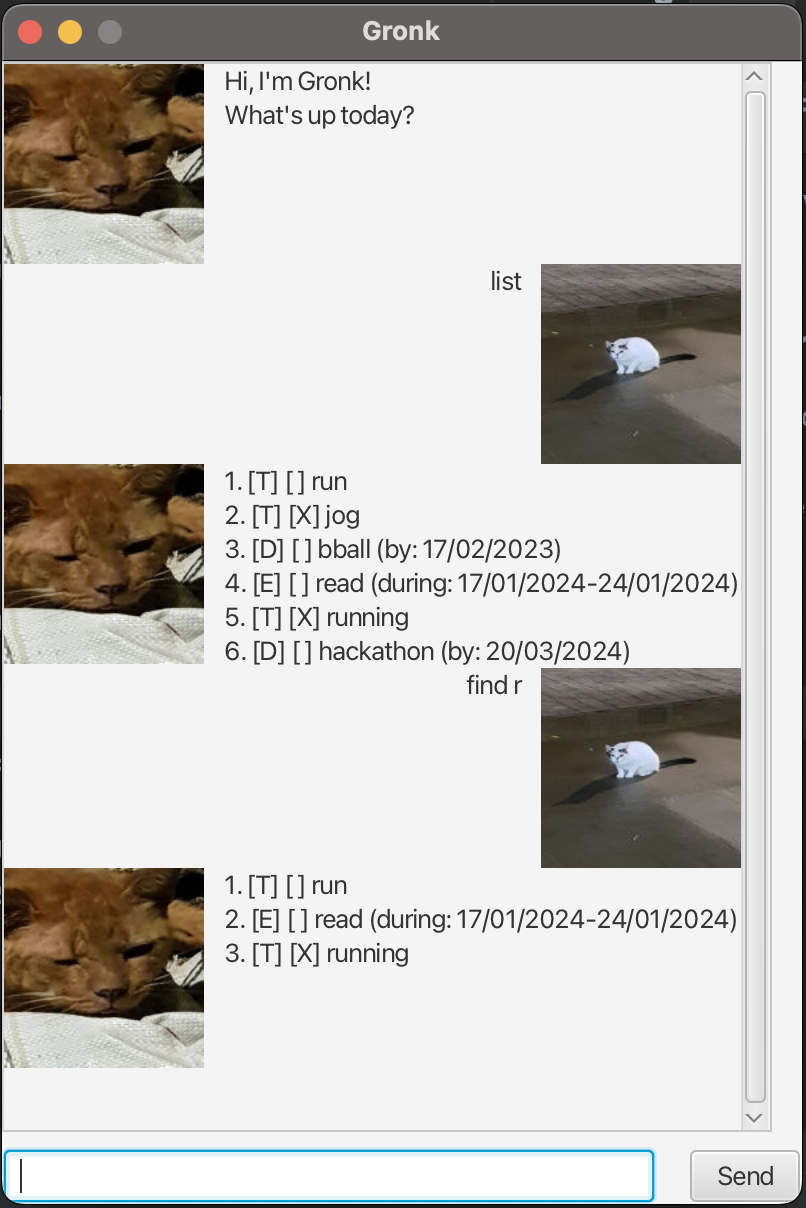
Welcome to Gronk! A simple app to keep track of your various deadlines and todos.
Finding help: help
Type help to get a help page.
Exiting the program: bye
Type bye to exit Gronk.
Listing all tasks: list
Type list to see all tasks currently stored.
Adding new tasks
Gronk provides the user with three different Task types: Todos, Deadlines, and Events. Here are their features:
Todo: a one-off task.Deadline: a task with a due date.Event: a task which may occur within a window of time.
Adding Todo: todo
For example: todo (todo name).
Adding Deadline: deadline
Specify the date in Deadline in dd/MM/yyyy format.
For example: deadline (todo name) /b dd/MM/yyyy.
Adding Event: event
Specify the start and end date in Event in dd/MM/yyyy format.
For example: event (todo name) /f dd/MM/yyyy /t dd/MM/yyyy.
Search : find
Gronk offers search with partial matches.
Advanced search
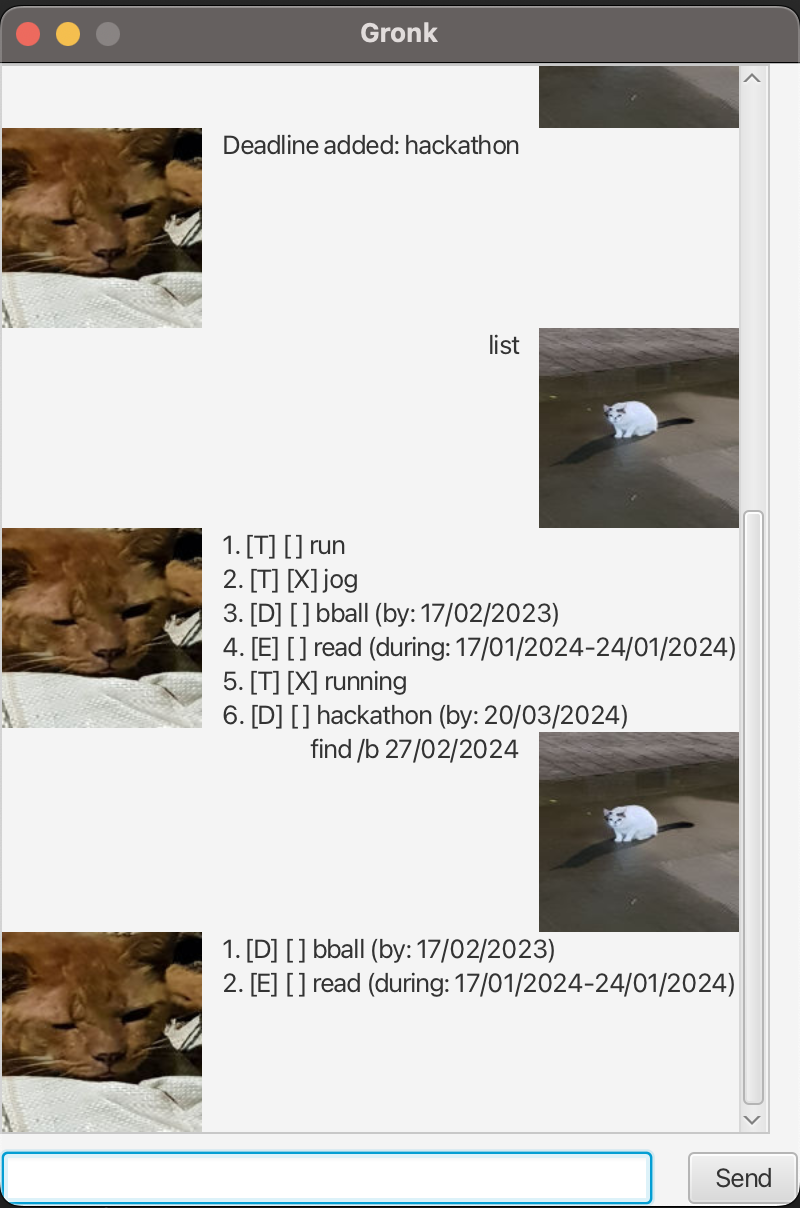
Gronk offers a few advanced search functionalities; we can search by task type or by date. Searching by date will return all Deadline and Event tasks that end before the specified date.
find /t: returns allTodotasks.find /d: returns allDeadlinetasks.find /e: returns allEventtasks.find /b dd/MM/yyyy: returns allDeadlineandEventtasks which end beforedd/MM/yyyy.
Marking tasks
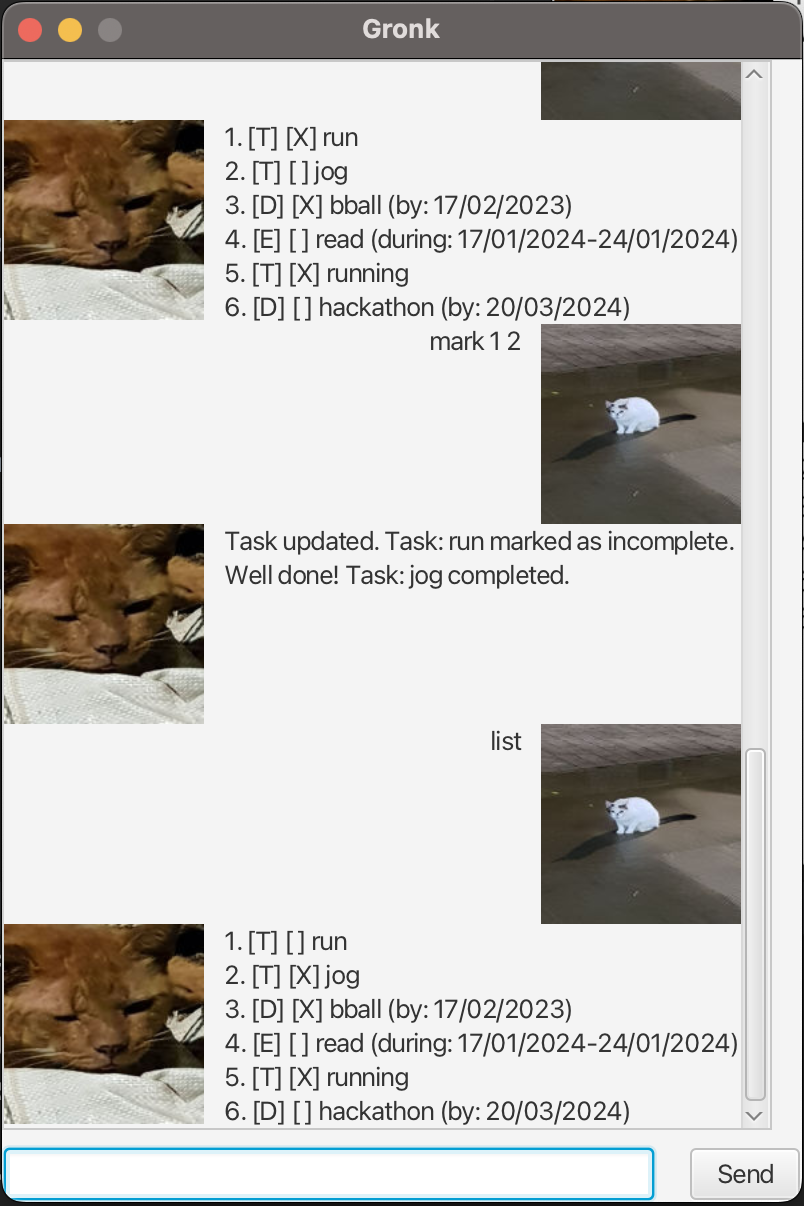
We can mark tasks as completed or incomplete, and we can mark multiple tasks by their index in a single command. For example: mark 1.
Deleting tasks
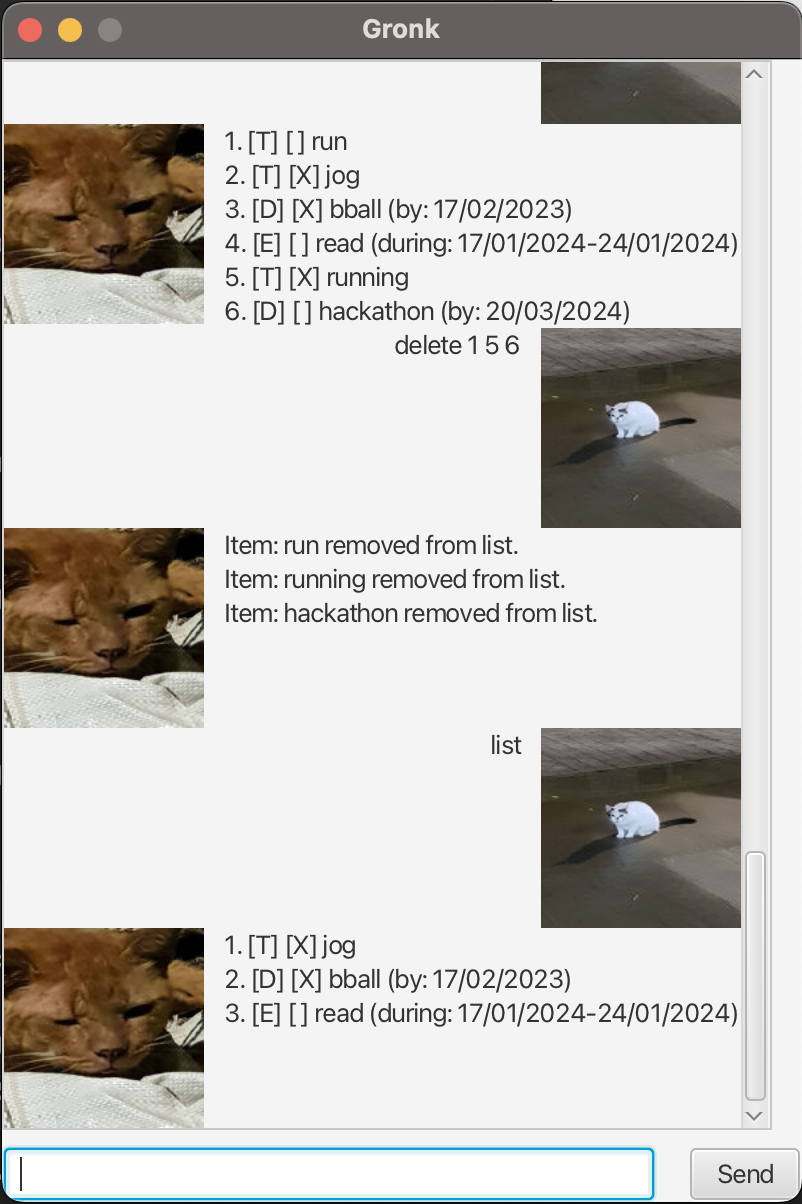
We can also delete multiple tasks by their index in a single command. For example: delete 1.